




Aller au contenu
View in the app

A better way to browse. Learn more.

BLOOD & STRIKE OUTDOOR GAMES

A full-screen app on your home screen with push notifications, badges and more.

To install this app on iOS and iPadOS
  1. Tap the Share icon in Safari
  2. Scroll the menu and tap Add to Home Screen.
  3. Tap Add in the top-right corner.
To install this app on Android
  1. Tap the 3-dot menu (⋮) in the top-right corner of the browser.
  2. Tap Add to Home screen or Install app.
  3. Confirm by tapping Install.

Pierro

Membre
  • Inscription

  • Dernière visite

  1. Pierro a réagi à un message dans un sujet : [2] LISTE DES CONCURRENTS SÉLECTIONNÉS
  2. Pierro a réagi à un message dans un sujet : [2] LISTE DES CONCURRENTS SÉLECTIONNÉS
  3. Pierro a réagi à un message dans un sujet : [2] LISTE DES CONCURRENTS SÉLECTIONNÉS
  4. Strike a réagi à un message dans un sujet : [2] LISTE DES CONCURRENTS SÉLECTIONNÉS
  5. Merci à vous pour se remplacement tardif ! a très vite
  6. un sujet a posté Pierro dans Présentez-vous
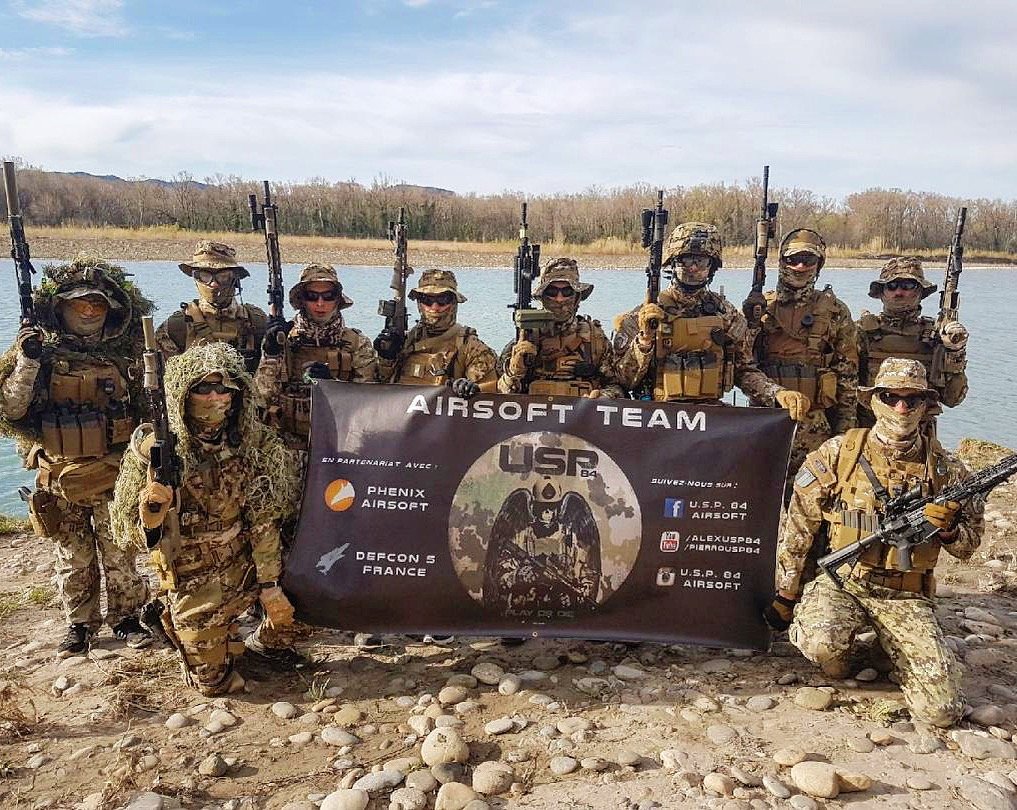
    Bonjour a tous ! Je me présente, je m’appelle Pierre mais mon pseudo Pierro est plus utilisé Je serais le remplaçant de Pack du binôme de la Deltacorse pour cette opération plume blanche 2018 ! J’ai 25 ans Je suis Pâtissier ou plutôt un airsofteur passionné J’habite a Aix en Provence L’airsoft est une passion que j’ai commencé il y a 8 ans avec l’équipe Usp84 située a Pertuis. Mon poste dans l’équipe : chef d’équipe et OR Jai tout essayer comme poste dans l’équipe ou repliques utilisés mais mon style préféré reste l’assaut, équiper base M4 et glock Tenue utilisée par l’équipe : Le multiland la fameuse tenue Italienne Mais sinon du fr, woodland,aor1 Oui je suis véhiculé J’ai aussi d’autres loisirs : Randonnée, plongée, pêche mais surtout l’airsoft ! J’ai decouvert ce forum grâce a la Plume Blanche Je recherche tout renseignements, conseils pour cette opération. Il faut profiter de l’instant présent !
Background Picker
Customize Layout

Account

Navigation

Rechercher

Rechercher

Configure browser push notifications

Chrome (Android)
  1. Tap the lock icon next to the address bar.
  2. Tap Permissions → Notifications.
  3. Adjust your preference.
Chrome (Desktop)
  1. Click the padlock icon in the address bar.
  2. Select Site settings.
  3. Find Notifications and adjust your preference.